
Email for Outlook, Hotmail
A1Apps-coCommunication
3.7108.00 Reviews
- Version
- nativemail-1.38.0-play
- Installs
- 1.00M
- Age Rating
- Everyone
Screenshots
Our Review of Email for Outlook, Hotmail
 Analysis by Appyee
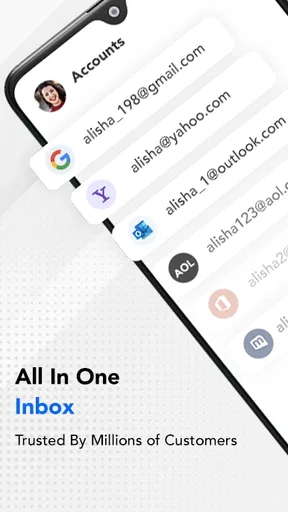
Managing email on a shared tablet or a family phone sounds simple until several inboxes start competing for attention. I tested Email for Outlook, Hotmail with that situation in mind, and its main appeal became clear quickly: it is a free communication app built around Outlook and Hotmail access, with support for signing in to multiple accounts from one place. That can be useful when a household has separate personal inboxes but only one convenient device for checking messages.
I would not treat it as a replacement for every established mail client. Its strongest case is narrower and more practical: someone wants a straightforward way to reach Outlook-style mail without constantly switching between separate applications. The app comes from A1Apps-co, is rated for Everyone, and works on Android devices running version 8.0 or later. Those details make it accessible for many older phones and shared tablets, although accessibility alone does not solve the more important question of account boundaries.
How it feels on a shared household device
Imagine a household tablet sitting in the kitchen. One person needs to check a work-related Outlook inbox, another wants to read personal Hotmail messages, and a third occasionally needs to confirm a delivery or school notice. Installing one mail app can reduce the clutter of multiple icons and make the device easier to use. In that setting, the multiple-account focus is more useful than the short store summary suggests.
The trade-off is that convenience can blur ownership. A combined mail app may put several inboxes within the same general experience, but that does not mean the accounts become safely separated from one another. I would set it up only when everyone using the device understands which account is active before reading, replying, deleting, or moving a message. A shared screen is not the same thing as a shared inbox.
My preferred household arrangement would be to give each account a clear visual identity in the app, such as a distinct profile image or a simple label if the interface allows it, and then use one inbox at a time. I would also avoid leaving the app open when handing the device to someone else. That small habit matters more than the number of accounts the app can hold, because an accidental tap can expose private conversations even when nobody intended to snoop.
The most important household rule is simple: convenience should never replace account awareness. Before sending anything, I would check the sender identity and the recipient address. This is especially important when two people use similar names or when a reply starts from the wrong inbox. A mail client that gathers accounts together saves time, but it also makes a final review more valuable.
What the multiple-account approach actually changes
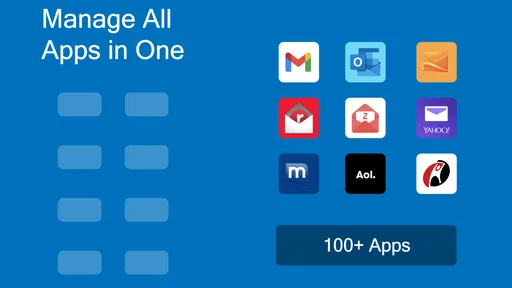
With separate mail apps, switching accounts often means switching applications, waiting for another interface, and remembering where a particular message lives. Email for Outlook, Hotmail aims to make that movement less disruptive by keeping Outlook and Hotmail accounts available through one sign-in experience. For someone who checks several addresses throughout the day, that can make routine tasks feel less fragmented.
There is also a useful mental benefit. Instead of thinking, “Which mail app contains this message?”, I can think, “Which account should I inspect?” That is a better workflow for a household coordinator who handles appointments, receipts, travel messages, or shared errands across more than one address. It is not a substitute for careful organization, but it can reduce the friction of getting to the right inbox.
Still, I would not assume that seeing multiple accounts in one app automatically creates a unified, intelligent household inbox. The app’s central promise is access to Outlook mail, not a complete family coordination system. If you need sophisticated shared labels, detailed delegation, or a carefully managed team mailbox, the official client or a more advanced mail service may be the better fit.
Setting it up without crossing account boundaries
For a shared device, setup deserves more attention than it usually gets. I would begin with the account owner present, install the app from the appropriate app store, and add only the inboxes that genuinely need to be available there. Adding every account “just in case” creates unnecessary exposure and makes the account list harder to understand later.
The app is free, which lowers the barrier to trying it on an older household phone or spare tablet. It was released in July 2021 and its current version is identified as nativemail-1.38.0-play. I would still check the device’s Android version before planning around it, since Android 8.0 is the minimum requirement. On a compatible device, the practical question is not cost but whether the people sharing the device can maintain good habits.
I would use a short setup checklist:
- Add one account at a time and confirm whose inbox appears after each sign-in.
- Send a harmless test message only when the account owner is comfortable doing so.
- Check the visible account name before replying to a sensitive message.
- Remove an account when the device changes hands or no longer serves that person.
- Keep the device’s own screen lock active rather than relying on the mail app alone.
That last point is easy to overlook. A mail app can organize access, but the device lock is the broader boundary around notifications, saved sessions, and other applications. I would not hand an unlocked shared phone to a child or visitor while an adult’s inbox remains open, even if the app itself is easy to navigate.
Why the first account deserves extra care
The first account added often becomes the account people recognize most quickly, and that can influence later behavior. If the first screen always opens to one person’s inbox, other household members may assume it is the default account for sending as well. I would make the account list easy to interpret from the beginning, then teach each regular user to pause before composing.
This is also where I would decide whether a shared device is appropriate at all. A family tablet used for general errands may be reasonable. A phone used by several adults for private work, banking, or medical correspondence is a different matter. In that case, separate user profiles, separate devices, or the official Outlook experience may offer a cleaner boundary than placing everything in one mail application.
One practical tip is to reserve the shared app for low-risk coordination and keep highly private correspondence on a personal device. That is not a criticism of this particular app; it is a sensible division of responsibilities. A single interface is convenient for grocery reminders and appointment confirmations, but less suitable when several people need strong privacy from one another.
Using it to coordinate everyday responsibilities
The app makes the most sense to me when email is part of a household workflow rather than an isolated reading task. A parent might check a school notice, a partner might look for a booking confirmation, and another person might monitor a service account. Keeping those addresses reachable in one communication app can make the shared tablet more useful without requiring everyone to learn several different mail interfaces.
Here is a realistic example. On a Saturday morning, I might open the household device to find a message about a delivery window in one account and a change to a community event in another. Instead of searching through separate apps, I can inspect the relevant inboxes in one place, note the important details, and tell the other household members what changed. The benefit is not dramatic automation; it is reducing the number of small steps between receiving information and acting on it.
For this kind of coordination, I would avoid treating the inbox as a permanent task manager. Email is good at preserving the original message, but it can become confusing when several people verbally agree that someone else will handle a request. After reading a message, I would state the responsibility clearly in the household’s preferred channel, such as “I will call them today,” rather than assuming that everyone saw the same email.
Another useful workflow is separating checking from replying. One person can review incoming messages on the shared tablet, while the actual response is sent later from the account owner’s private phone. That approach keeps the shared device useful for awareness while reducing the risk of an impulsive reply from the wrong address. It also works well when a child asks an adult to help understand an email but should not be given unrestricted access to the adult’s mailbox.
Where it helps and where it gets in the way
I found the single-app approach most appealing for people who already use Outlook or Hotmail and want a focused route into those accounts. It is less compelling for someone who relies on several unrelated providers, needs deep calendar integration, or wants one polished ecosystem across mail, files, meetings, and contacts. In those cases, the official Outlook app or the phone’s built-in mail client may provide a more coherent long-term experience.
Compared with a built-in mail app, Email for Outlook, Hotmail has a more specific identity. That can be an advantage when the household mainly uses Microsoft-associated addresses and does not want a broad, general-purpose inbox. The disadvantage is that a narrower focus may feel limiting once the account mix expands. I would choose it because it matches the household’s actual email habits, not simply because it is free.
Compared with using the official Outlook app, the decision comes down to preference and trust. The official option may be the natural choice for users who want the closest connection to Microsoft’s own mail environment and related services. This app may appeal to someone seeking a simpler alternative centered on accessing Outlook and Hotmail accounts. I would compare the sign-in experience, notification behavior, account switching, and comfort with the developer before moving all important correspondence into it.
That developer question matters particularly on a shared device. A household should know which app is handling its mail and should review the permissions and privacy choices shown during installation and sign-in. I would not enter a password casually while another person is watching, and I would avoid saving credentials on a device that frequently leaves the home. These are sensible precautions for any third-party communication app, but they are more important when several people share the same screen.
Age, trust, and the limits of shared access
The Everyone content rating makes the app suitable in age terms for a broad audience, but email content itself can include adult conversations, financial details, work information, and unfamiliar links. I would therefore distinguish between the app being age-rated for general use and a particular inbox being appropriate for a child to browse. The rating does not turn a private mailbox into a child-friendly space.
For a younger user, I would use the app as a supervised way to check a dedicated address rather than adding an adult’s personal inbox. A child could learn useful habits—recognizing the sender, checking the subject, and asking before opening an attachment—without being given access to unrelated private conversations. I would also explain that replying is a separate action from reading, and that an adult should review messages involving money, passwords, or requests for personal information.
Trust works in both directions. Adults sharing a device should agree on which accounts are present, who may read them, and when an account should be removed. Without that conversation, multiple-account support can create misunderstandings. Someone may believe an inbox is private because it is “their” account, while another person assumes that anything on the shared tablet is available to everyone.
I would also be cautious with notifications. A message preview appearing on a lock screen can reveal its sender or subject before the device is unlocked. Since notification behavior can vary by device and account settings, I would review those settings during setup and hide previews when privacy matters. That is one of the most useful adjustments for a shared household, because it protects information even when the app is not actively open.
Who should choose it, and who should skip it
I would recommend trying it if you use Outlook or Hotmail, need access to more than one account, and want a free app for a compatible Android device. It is particularly practical for a spare phone, a kitchen tablet, or a household device used for checking notices and coordinating errands. The app has passed one million installs and holds a 3.7 average from around 3.6 thousand ratings, so it is not an obscure experiment, although those figures should be treated as context rather than a guarantee that it will suit every user.
I would skip it if your main requirement is a tightly controlled private workspace for several adults. I would also look elsewhere if you need a unified inbox across many unrelated providers, advanced organizational tools, or the reassurance of using the official client from the service provider. Someone who rarely checks more than one address may gain little from installing a separate app at all.
The app’s age rating and low cost make experimentation easy, but I would still begin with a noncritical account if I were uncertain about the workflow. Spend a day checking whether account switching feels obvious, whether notifications are comfortable on the shared device, and whether every user can identify the active sender before composing. That short trial reveals more than the promise of multiple accounts by itself.
My household verdict
After looking at Email for Outlook, Hotmail through the lens of shared use, I see it as a practical access tool rather than a complete family communication solution. Its value comes from putting Outlook and Hotmail accounts within one free Android app, which can simplify a shared device when everyone respects the difference between convenience and permission.
I like it best for light household coordination: checking confirmations, finding notices, and keeping several familiar inboxes within reach. I would pair it with a clear account policy, a device lock, careful notification settings, and a habit of checking the sender before replying. Those steps turn a potentially confusing shared inbox into something manageable.
My final recommendation is conditional but positive. If your household already depends on Outlook or Hotmail and wants a straightforward multi-account option, this app is worth testing. If privacy boundaries are strict, the device is used for sensitive work, or you need a richer Microsoft-centered experience, I would choose a more official or more specialized alternative. For shared use, the best result comes when the app handles access while the household handles trust.
Verdict
Strengths of Email for Outlook, Hotmail
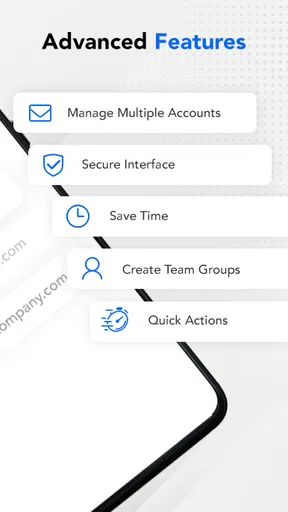
- Focused inbox helps separate important messages from less urgent mail.
- Strong search tools make it easy to find old emails and attachments.
- Calendar integration supports quick scheduling from the inbox.
- Attachment previews let you review files without leaving the app.
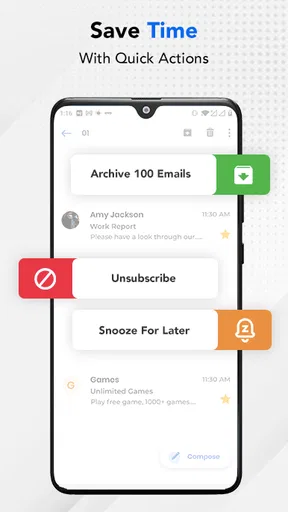
- Custom swipe actions can speed up common email tasks.
Limitations of Email for Outlook, Hotmail
- Some advanced features require a Microsoft 365 subscription.
- Large mailboxes may take time to sync on the first setup.
- Frequent notifications can feel excessive without careful adjustment.
- The interface may feel crowded for users managing several accounts.
- Battery and data use can increase with frequent background syncing.
Similar Picks in This Category
View All
Google Messages
Google LLC4.6

Gmail
Google LLC4.1

Google Meet
Google LLC4.4

Google Chrome
Google LLC4.1

WhatsApp Messenger
WhatsApp LLC4.6

Carrier Services
Google LLC4.2
Frequently Asked Questions
What is Email for Outlook, Hotmail, and what can I use it for?
Email for Outlook, Hotmail is a mobile email client designed to help users access and manage Outlook.com and Hotmail accounts from an Android or iOS device. After signing in, you can read, send, reply to, forward, and organize messages. Depending on the version and connected services, it may also provide notifications, contact access, attachment handling, and support for multiple email accounts.
Is Email for Outlook, Hotmail an official Microsoft application?
Before downloading, users should carefully check the developer name, store listing, logo, permissions, and privacy information. Some applications with similar names are independent email clients rather than official Microsoft products. The official Outlook app is published by Microsoft Corporation. Using a third-party client may offer a different interface, but it can also involve separate advertising, data-handling policies, or account-login procedures.
Can I sign in safely with my Outlook or Hotmail account?
You can usually connect an Outlook or Hotmail account by entering your email address and completing Microsoft’s authentication process. For better security, use the official Microsoft sign-in screen whenever possible and avoid entering credentials into unfamiliar forms. Two-factor authentication may be required. Review requested permissions carefully, use a strong unique password, and remove account access later if you stop using the application.
Does Email for Outlook, Hotmail support notifications and attachments?
Most email clients with Outlook and Hotmail support allow users to receive notifications for new messages and open common attachments such as documents, images, and PDFs. The exact experience depends on the application version, device settings, file type, and available storage. Notifications may need to be enabled manually, while large or unusual attachments might require another compatible application to view or download them.
Is Email for Outlook, Hotmail free to download and use?
The application may be available to download at no initial cost, but users should inspect the store page for advertisements, optional purchases, subscriptions, or premium features before installing it. Standard email access does not necessarily mean every function is free. Mobile data charges can also apply when synchronizing messages or downloading attachments, especially when using cellular internet instead of Wi-Fi.
